


MEASUREMENTS & FIT
Find frames that feel right. Learn to read frame measurements, explore styles, use Virtual Try-On, and get your PD ready for prescription lenses.Frame Measurements
If your current glasses fit well, they’re a handy place to start.- Read the numbers on your current frames
Look inside a temple arm for three numbers. They usually show lens width, bridge width, and temple length.
- Measure Your Current Frames
Can’t find the numbers? Measure lens width, bridge width, and temple length to get a starting point.
- Filter Frames by Size
Enter your current frame numbers in Find My Size, or use the size filters to narrow your options.

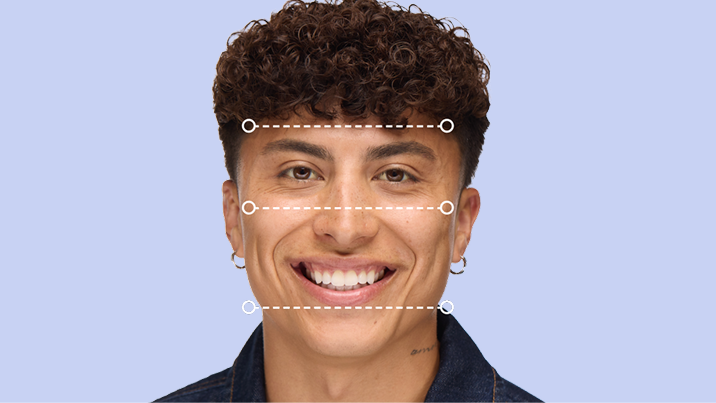
Frame Shapes by Face Shape
Try angular frames for contrast with round features, or rounded shapes to soften angular features. The best choice is the one you like wearing.

Frames for Lower Nose Bridges
Universal Fit frames and adjustable nose pads are options to explore if glasses tend to slide or rest on your cheeks. Check each frame’s fit details.

Kids’ Frame Sizing
Age ranges can be a starting point. Compare frame measurements to find a comfortable fit as kids grow.


Try Before You Commit
Preview different looks with Virtual Try-On, then check frame measurements for fit.- See How It Works
Use your device camera for a live preview, or upload a photo to see frames on your face.
- Explore Your Look
Compare shapes, colors, and scale. Enter your PD or use the built-in PD tool to improve the preview’s scale.
- Check the Measurements
Virtual Try-On can’t confirm how a frame will physically feel or grip. Compare its measurements with a pair that fits you well.

Pupillary Distance (PD)
PD is the distance between your pupils. It helps position prescription lenses correctly, but it doesn’t tell you your frame size.




 United States